Recipes around your preferences
Set goals, diets, allergies, ingredients to avoid, and cooking style so each generated recipe starts with your needs.


TasteBot turns your goals, diet, allergies, ingredients, and cravings into practical recipes you can actually cook. It is built for busy healthy cooks who want dinner ideas without starting from a blank page.


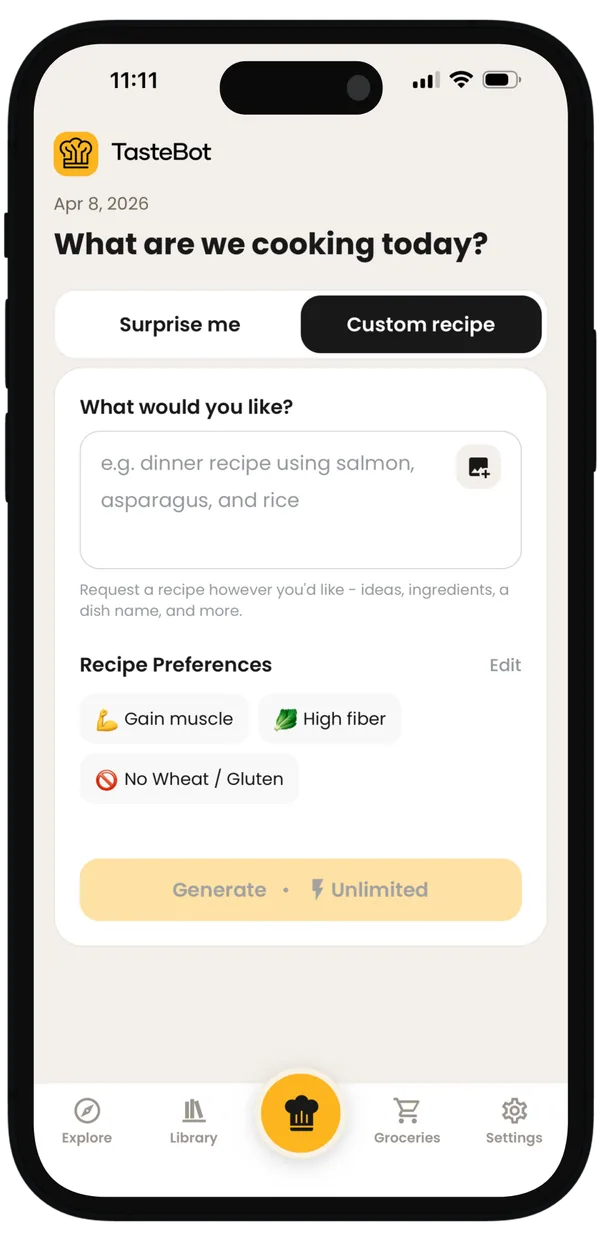
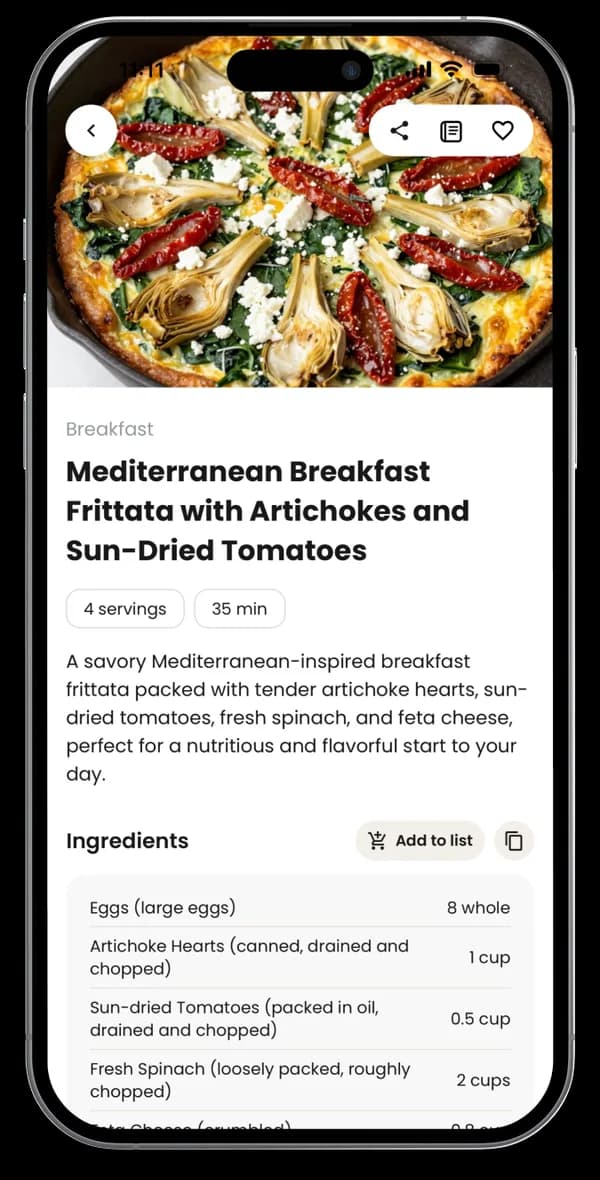
Generic recipe searches make you adapt to someone else's meal. TasteBot adapts the meal idea to you.
Set goals, diets, allergies, ingredients to avoid, and cooking style so each generated recipe starts with your needs.
Type requests like high-protein dinner, chicken pot pie, or a lighter pasta and TasteBot turns them into a full recipe.
Check core nutrition, adjust servings, save recipes, and use variations when you want more protein, fewer calories, or a different ingredient.
TasteBot keeps the workflow simple: set preferences once, ask for what sounds good, then cook from a complete recipe.
Choose goals, diets, allergies, avoided ingredients, and cooking style in the app.
Ask for a specific dish, a meal from ingredients you have, or a healthier version of a favorite.
Follow the recipe, save it to your library, share it, or make a variation when you want changes.
Short answers for people comparing AI recipe tools and recipe apps.
An AI recipe generator creates recipe ideas from prompts, preferences, and constraints. TasteBot uses your goals, diet, allergies, and cooking style to make the output more personal.
Yes. You can ask for something specific, like chicken pot pie, or something open-ended, like a quick high-protein dinner.
Yes. You can set diets and allergies in your preferences so generated recipes are shaped around those constraints.
Yes. You can save recipes to your library and come back to them later in the TasteBot app.
Yes. TasteBot is available on the Apple App Store and Google Play.
Download TasteBot to create recipes around your goals, diet, allergies, ingredients, and cooking style.